# Introduction and Usage of RPGViewer

# What is RPGViewer for?
RPGViewer is a standalone app designed to run RPGMV, RPGMZ, Flash, and HTML projects. Here’s a visual introduction:
# Introduction to RPGMV/RPGMZ Games
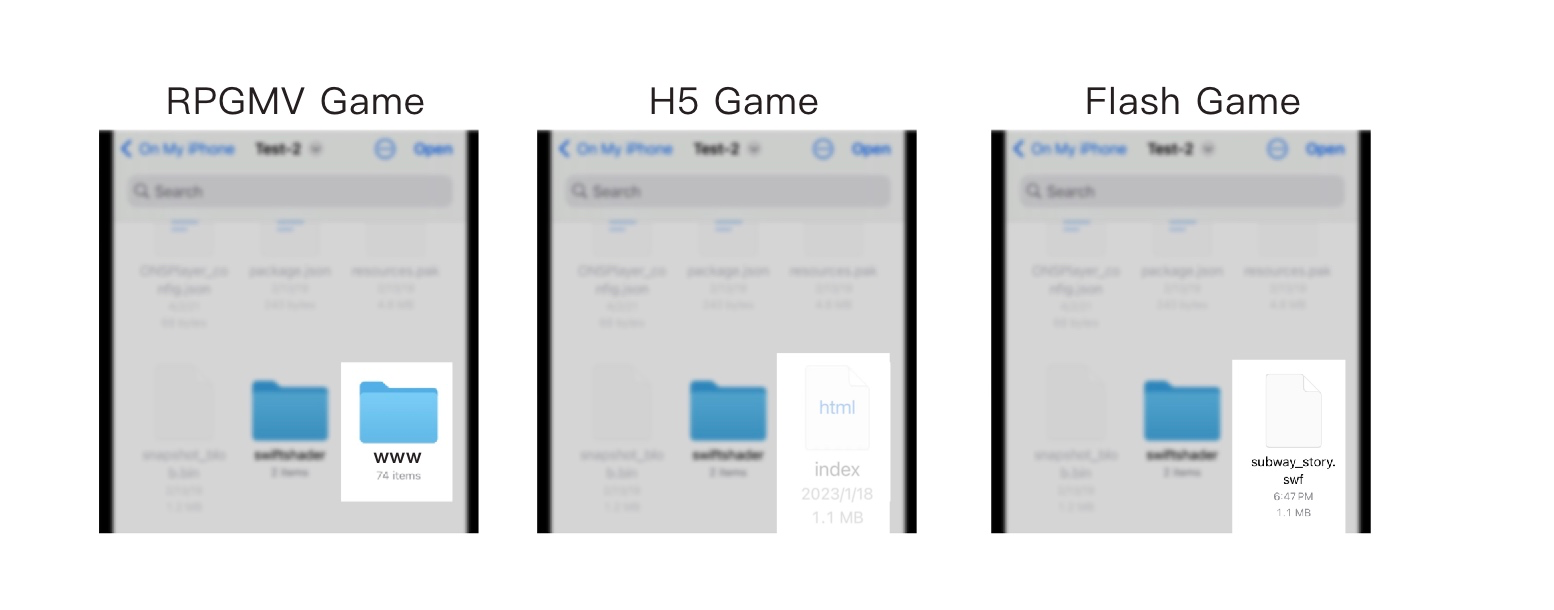
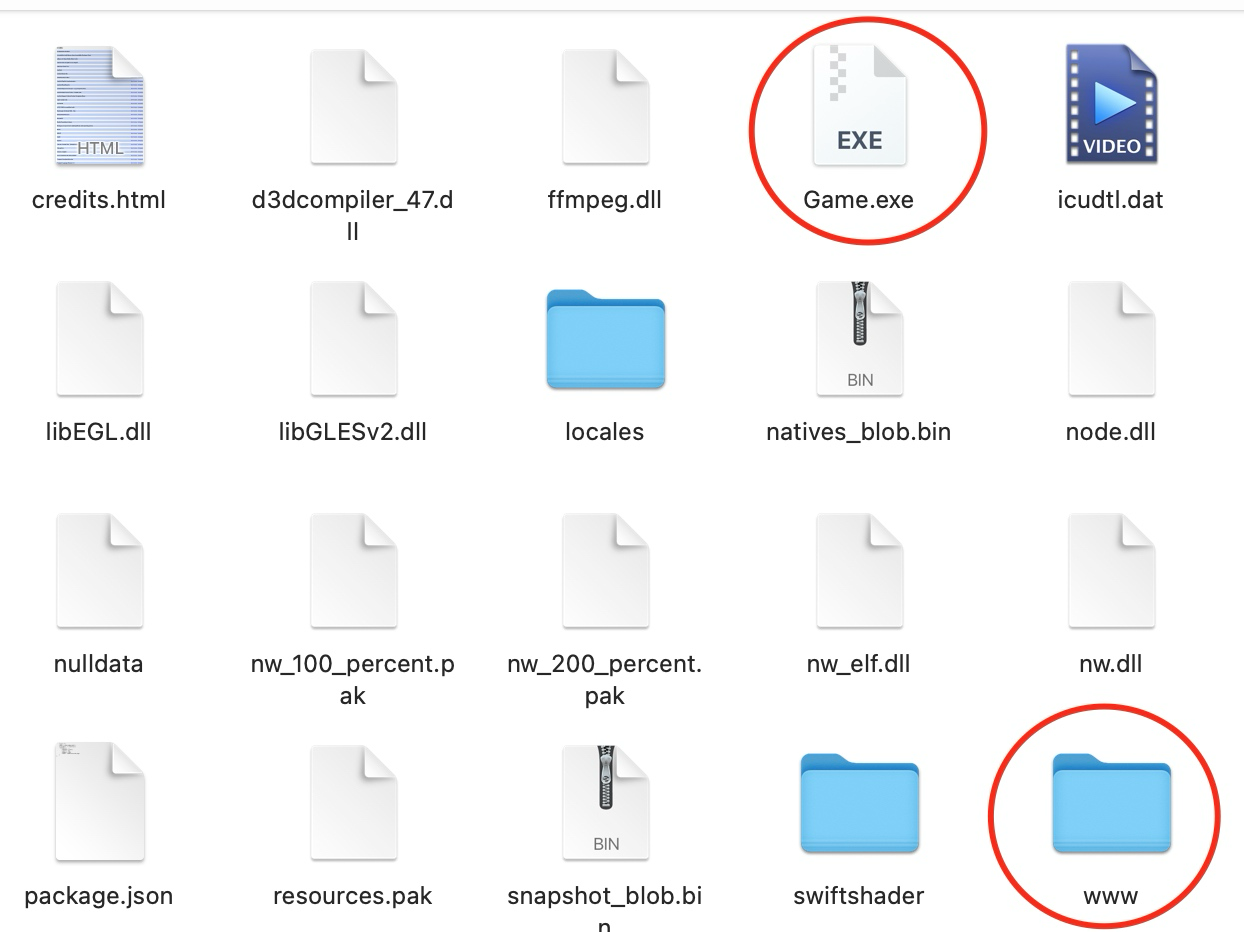
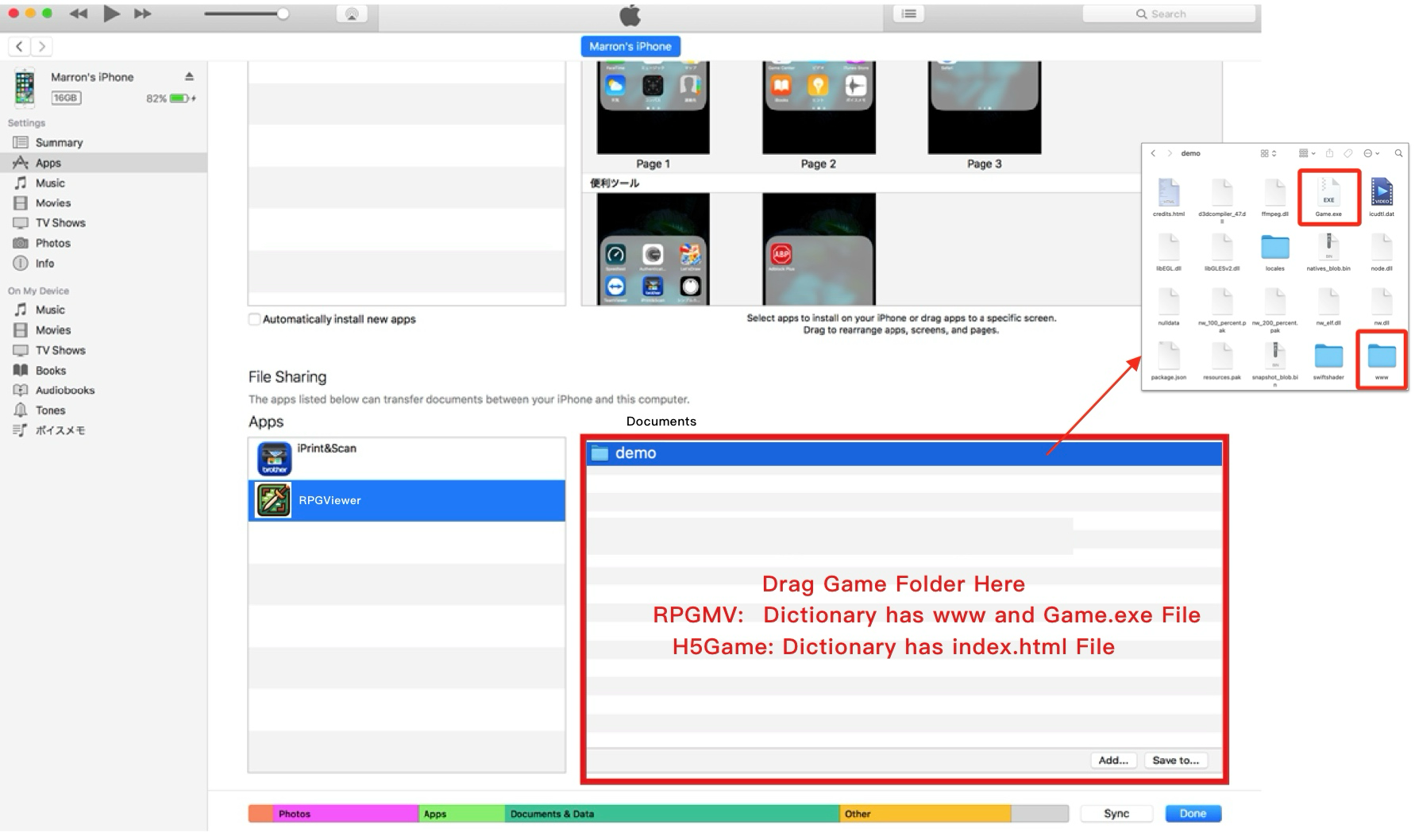
RPGMV and RPGMZ are Japanese game engines, with many RPG games developed using these engines. Game Features The structure of an RPGMV game is as follows. Generally, any folder containing a www folder, an index.html file, and a Game.ext file can run an RPG MV/MZ game.
# H5 Games
The structure of an H5 game is as follows. Generally, any folder containing an index.html file can run the game.
# Flash Games
Flash games are media files ending with .swf.
# Key Operations
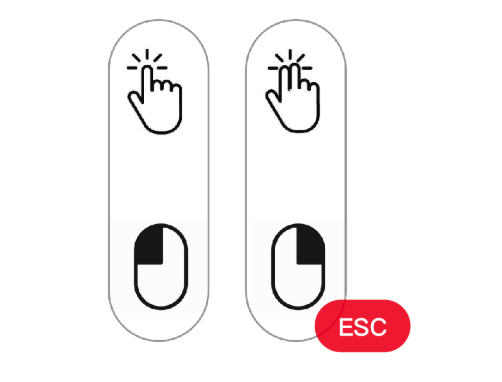
Single-finger touch = Left mouse button Two-finger touch = Right mouse button
# Virtual Keyboard
Tap the PAD button to open the virtual keyboard, which includes basic operation functions.
# Import Methods
There are two import methods:
Import via iTunes: Simply import the folder containing the game into RPGViewer.
In-App Import: RPGViewer now supports in-app folder selection. Locate the importable folder within the app and tap Open.